AutoLinkr Dash™
Product Overview
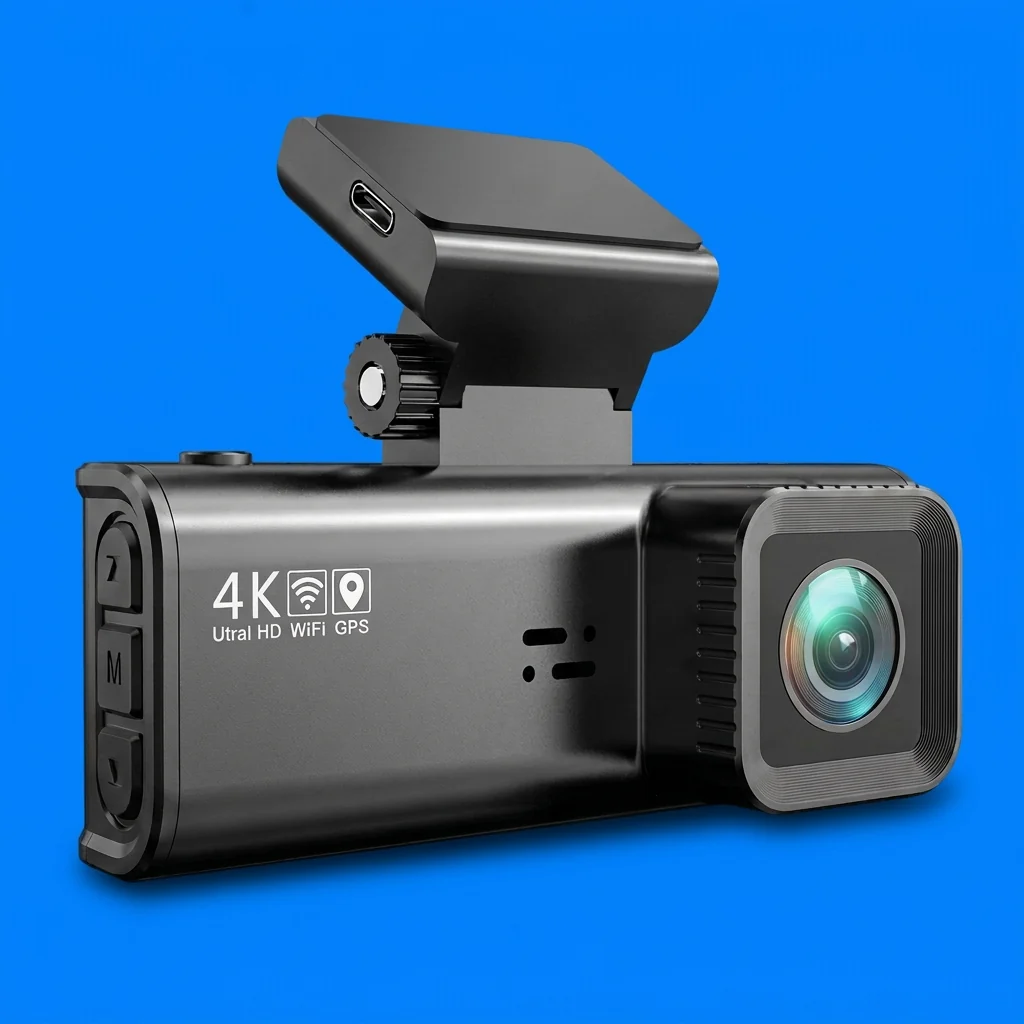
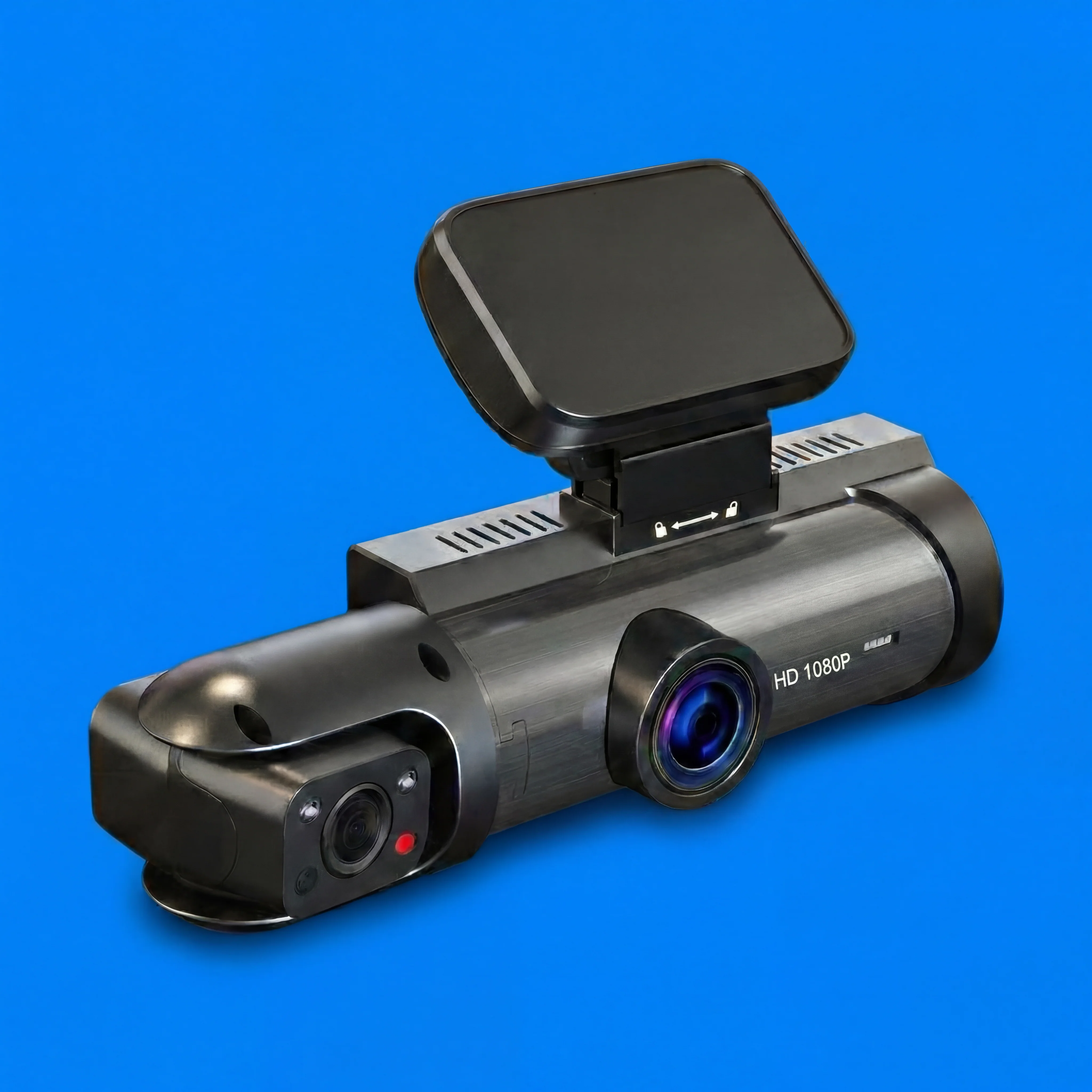
AutoLinkr Dash™ is a dual 1080P dash cam designed to record both the road ahead and the vehicle interior simultaneously. It features IR night vision, wide-angle recording, loop recording, and WiFi app connectivity for easy access to footage.
Key Features
-
Dual Camera Recording – Front (road) + Interior (cabin)
-
Full HD 1080P Video – Clear, detailed footage at 30 FPS
-
IR Night Vision – Reliable low-light recording
-
Wide-Angle Lens (170°) – Captures more of the road
-
Automatic Loop Recording – Overwrites old files automatically
-
G-Sensor Incident Detection – Locks footage during impacts
-
Built-in WiFi – View, download, and share footage via mobile app
-
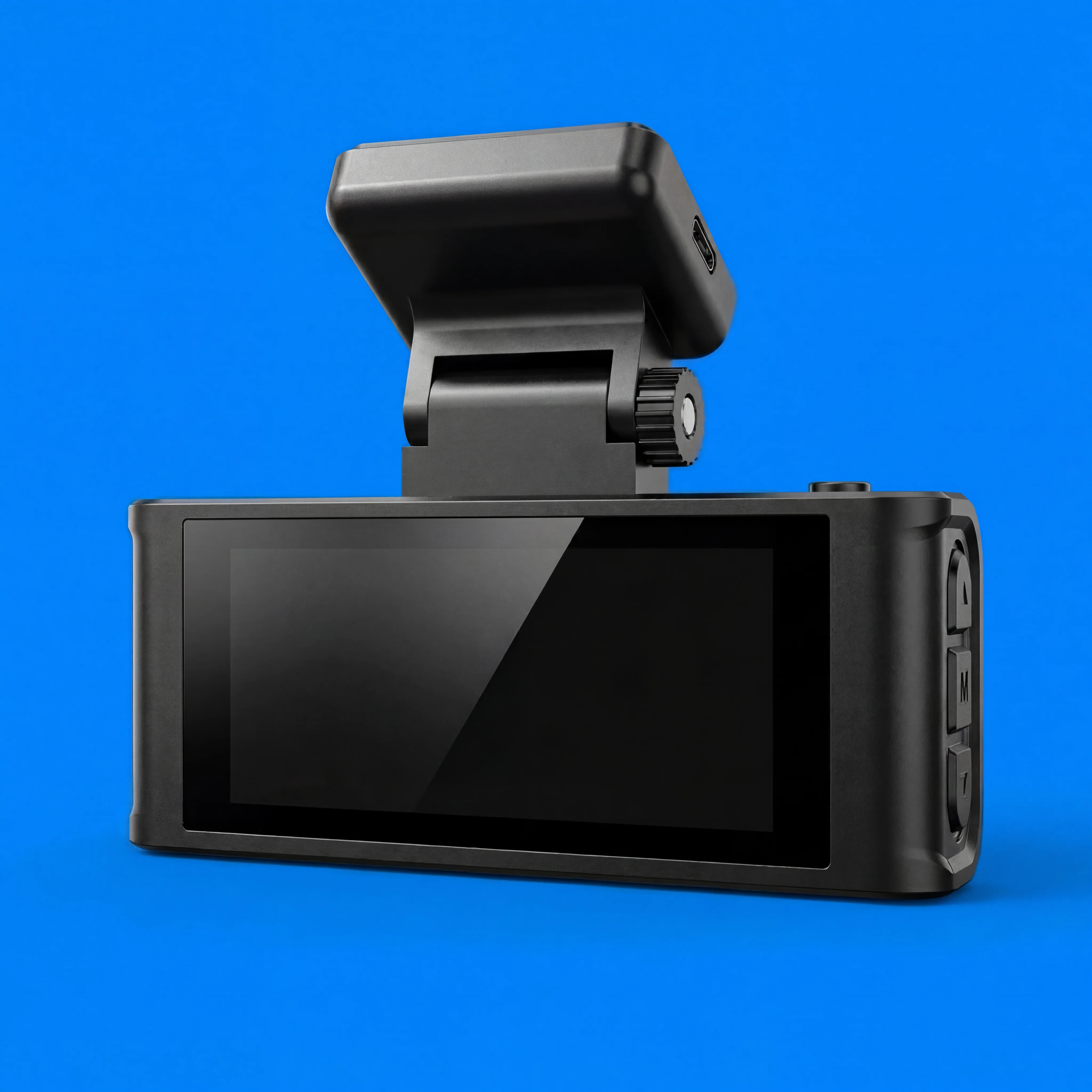
Built-in Screen – On-device playback and review
-
Audio Recording – On by default (can be muted)
-
Motion Detection & Real-Time Surveillance
-
3D DNR (Digital Noise Reduction)
Technical Specifications
Video & Imaging
-
Resolution: 1920 × 1080 (1080P)
-
Frame Rate: 30 FPS
-
Number of Lenses: 2
-
Imaging Sensor: AR0330
-
Aperture: F2.0
-
Video Format: H.264
-
View Angle: 170°
-
Screen Ratio: 16:9
-
Display Type: IPS
Storage
-
Memory Card Type: Micro SD / TF
-
Supported Speed: Class 10 (High-Speed Only)
-
Format Required: FAT32
-
Max Supported Capacity: 128GB
-
Default Included Capacity: Up to 64GB
-
Memory card must be formatted before first use
Connectivity
-
WiFi: Yes (Device Hotspot Only)
-
WiFi Range: Up to 20 meters
-
App Compatibility: Framefox (iOS & Android)
-
Interfaces: WiFi, AV-In, Micro SD/TF
⚠️ Note: WiFi is for data transfer only. It does not provide internet access.
Power & Battery
-
Power Source: 12V Car Charger (Corded Electric)
-
Battery Type: Built-In
-
Battery Capacity: 150mAh
-
Battery Function: Saves settings only
-
⚠️ The dash cam must be plugged in to operate
-
Only use the original car charger to avoid malfunctions
Physical Details
-
Weight: 0.35 kg
-
Cable Length: 3.5 meters
-
Mount Type: Adhesive Windshield Mount
-
Assembly Mode: Portable Recorder
-
Touch Screen: No
Certifications
-
CE
-
FCC
-
RoHS
Supported Languages
Arabic, Chinese (Simplified & Traditional), English, French, German, Hebrew, Italian, Japanese, Korean, Polish, Portuguese, Russian, Spanish, Turkish
How to Connect WiFi
-
Power on the dash cam
-
Press and hold the M (Menu) button for 2–4 seconds
-
Navigate to WiFi & APP and enable it
-
Scan the QR code or manually connect to the device’s WiFi
-
Open the Framefox App to view or download footage
Playback Options
-
On Device – Use the built-in screen
-
Via Mobile App – Download footage through WiFi
-
On Computer – Remove SD card and view on PC
Troubleshooting (Quick Fixes)
Device won’t turn on / screen distorted / camera not working:
-
Check power connection
-
Confirm the original charger is being used
-
Verify charger LED is illuminated
-
Reset device using the reset pinhole if needed
Important Notes
-
Do not expose to temperatures above 70°C / 160°F
-
Do not place between windshield and sunshade
-
Be cautious routing cables near airbags
-
Ensure windshield is clean before mounting
Product Overview
AutoLinkr Dash™ is a dual 1080P dash cam designed to record both the road ahead and the vehicle interior simultaneously. It features IR night vision, wide-angle recording, loop recording, and WiFi app connectivity for easy access to footage.
Key Features
-
Dual Camera Recording – Front (road) + Interior (cabin)
-
Full HD 1080P Video – Clear, detailed footage at 30 FPS
-
IR Night Vision – Reliable low-light recording
-
Wide-Angle Lens (170°) – Captures more of the road
-
Automatic Loop Recording – Overwrites old files automatically
-
G-Sensor Incident Detection – Locks footage during impacts
-
Built-in WiFi – View, download, and share footage via mobile app
-
Built-in Screen – On-device playback and review
-
Audio Recording – On by default (can be muted)
-
Motion Detection & Real-Time Surveillance
-
3D DNR (Digital Noise Reduction)
Technical Specifications
Video & Imaging
-
Resolution: 1920 × 1080 (1080P)
-
Frame Rate: 30 FPS
-
Number of Lenses: 2
-
Imaging Sensor: AR0330
-
Aperture: F2.0
-
Video Format: H.264
-
View Angle: 170°
-
Screen Ratio: 16:9
-
Display Type: IPS
Storage
-
Memory Card Type: Micro SD / TF
-
Supported Speed: Class 10 (High-Speed Only)
-
Format Required: FAT32
-
Max Supported Capacity: 128GB
-
Default Included Capacity: Up to 64GB
-
Memory card must be formatted before first use
Connectivity
-
WiFi: Yes (Device Hotspot Only)
-
WiFi Range: Up to 20 meters
-
App Compatibility: Framefox (iOS & Android)
-
Interfaces: WiFi, AV-In, Micro SD/TF
⚠️ Note: WiFi is for data transfer only. It does not provide internet access.
Power & Battery
-
Power Source: 12V Car Charger (Corded Electric)
-
Battery Type: Built-In
-
Battery Capacity: 150mAh
-
Battery Function: Saves settings only
-
⚠️ The dash cam must be plugged in to operate
-
Only use the original car charger to avoid malfunctions
Physical Details
-
Weight: 0.35 kg
-
Cable Length: 3.5 meters
-
Mount Type: Adhesive Windshield Mount
-
Assembly Mode: Portable Recorder
-
Touch Screen: No
Certifications
-
CE
-
FCC
-
RoHS
Supported Languages
Arabic, Chinese (Simplified & Traditional), English, French, German, Hebrew, Italian, Japanese, Korean, Polish, Portuguese, Russian, Spanish, Turkish
How to Connect WiFi
-
Power on the dash cam
-
Press and hold the M (Menu) button for 2–4 seconds
-
Navigate to WiFi & APP and enable it
-
Scan the QR code or manually connect to the device’s WiFi
-
Open the Framefox App to view or download footage
Playback Options
-
On Device – Use the built-in screen
-
Via Mobile App – Download footage through WiFi
-
On Computer – Remove SD card and view on PC
Troubleshooting (Quick Fixes)
Device won’t turn on / screen distorted / camera not working:
-
Check power connection
-
Confirm the original charger is being used
-
Verify charger LED is illuminated
-
Reset device using the reset pinhole if needed
Important Notes
-
Do not expose to temperatures above 70°C / 160°F
-
Do not place between windshield and sunshade
-
Be cautious routing cables near airbags
-
Ensure windshield is clean before mounting
Description
Product Overview
AutoLinkr Dash™ is a dual 1080P dash cam designed to record both the road ahead and the vehicle interior simultaneously. It features IR night vision, wide-angle recording, loop recording, and WiFi app connectivity for easy access to footage.
Key Features
-
Dual Camera Recording – Front (road) + Interior (cabin)
-
Full HD 1080P Video – Clear, detailed footage at 30 FPS
-
IR Night Vision – Reliable low-light recording
-
Wide-Angle Lens (170°) – Captures more of the road
-
Automatic Loop Recording – Overwrites old files automatically
-
G-Sensor Incident Detection – Locks footage during impacts
-
Built-in WiFi – View, download, and share footage via mobile app
-
Built-in Screen – On-device playback and review
-
Audio Recording – On by default (can be muted)
-
Motion Detection & Real-Time Surveillance
-
3D DNR (Digital Noise Reduction)
Technical Specifications
Video & Imaging
-
Resolution: 1920 × 1080 (1080P)
-
Frame Rate: 30 FPS
-
Number of Lenses: 2
-
Imaging Sensor: AR0330
-
Aperture: F2.0
-
Video Format: H.264
-
View Angle: 170°
-
Screen Ratio: 16:9
-
Display Type: IPS
Storage
-
Memory Card Type: Micro SD / TF
-
Supported Speed: Class 10 (High-Speed Only)
-
Format Required: FAT32
-
Max Supported Capacity: 128GB
-
Default Included Capacity: Up to 64GB
-
Memory card must be formatted before first use
Connectivity
-
WiFi: Yes (Device Hotspot Only)
-
WiFi Range: Up to 20 meters
-
App Compatibility: Framefox (iOS & Android)
-
Interfaces: WiFi, AV-In, Micro SD/TF
⚠️ Note: WiFi is for data transfer only. It does not provide internet access.
Power & Battery
-
Power Source: 12V Car Charger (Corded Electric)
-
Battery Type: Built-In
-
Battery Capacity: 150mAh
-
Battery Function: Saves settings only
-
⚠️ The dash cam must be plugged in to operate
-
Only use the original car charger to avoid malfunctions
Physical Details
-
Weight: 0.35 kg
-
Cable Length: 3.5 meters
-
Mount Type: Adhesive Windshield Mount
-
Assembly Mode: Portable Recorder
-
Touch Screen: No
Certifications
-
CE
-
FCC
-
RoHS
Supported Languages
Arabic, Chinese (Simplified & Traditional), English, French, German, Hebrew, Italian, Japanese, Korean, Polish, Portuguese, Russian, Spanish, Turkish
How to Connect WiFi
-
Power on the dash cam
-
Press and hold the M (Menu) button for 2–4 seconds
-
Navigate to WiFi & APP and enable it
-
Scan the QR code or manually connect to the device’s WiFi
-
Open the Framefox App to view or download footage
Playback Options
-
On Device – Use the built-in screen
-
Via Mobile App – Download footage through WiFi
-
On Computer – Remove SD card and view on PC
Troubleshooting (Quick Fixes)
Device won’t turn on / screen distorted / camera not working:
-
Check power connection
-
Confirm the original charger is being used
-
Verify charger LED is illuminated
-
Reset device using the reset pinhole if needed
Important Notes
-
Do not expose to temperatures above 70°C / 160°F
-
Do not place between windshield and sunshade
-
Be cautious routing cables near airbags
-
Ensure windshield is clean before mounting